Workflow
Chain multiple HTTP requests into automated workflows. Extract variables, validate responses, configure retries, and run iterations — all from a visual step-by-step interface.
Variable Chaining
Extract values from responses and inject them into subsequent steps. Tokens, IDs, dynamic data — all automatic.
Run Options
Iterations, parallel execution, delay between steps, stop on failure — fine-tune how your flow runs.
Import Steps
Import steps from Box or OpenAPI Projects — complete with schemas, auth, and configuration. Build flows faster without starting from scratch.
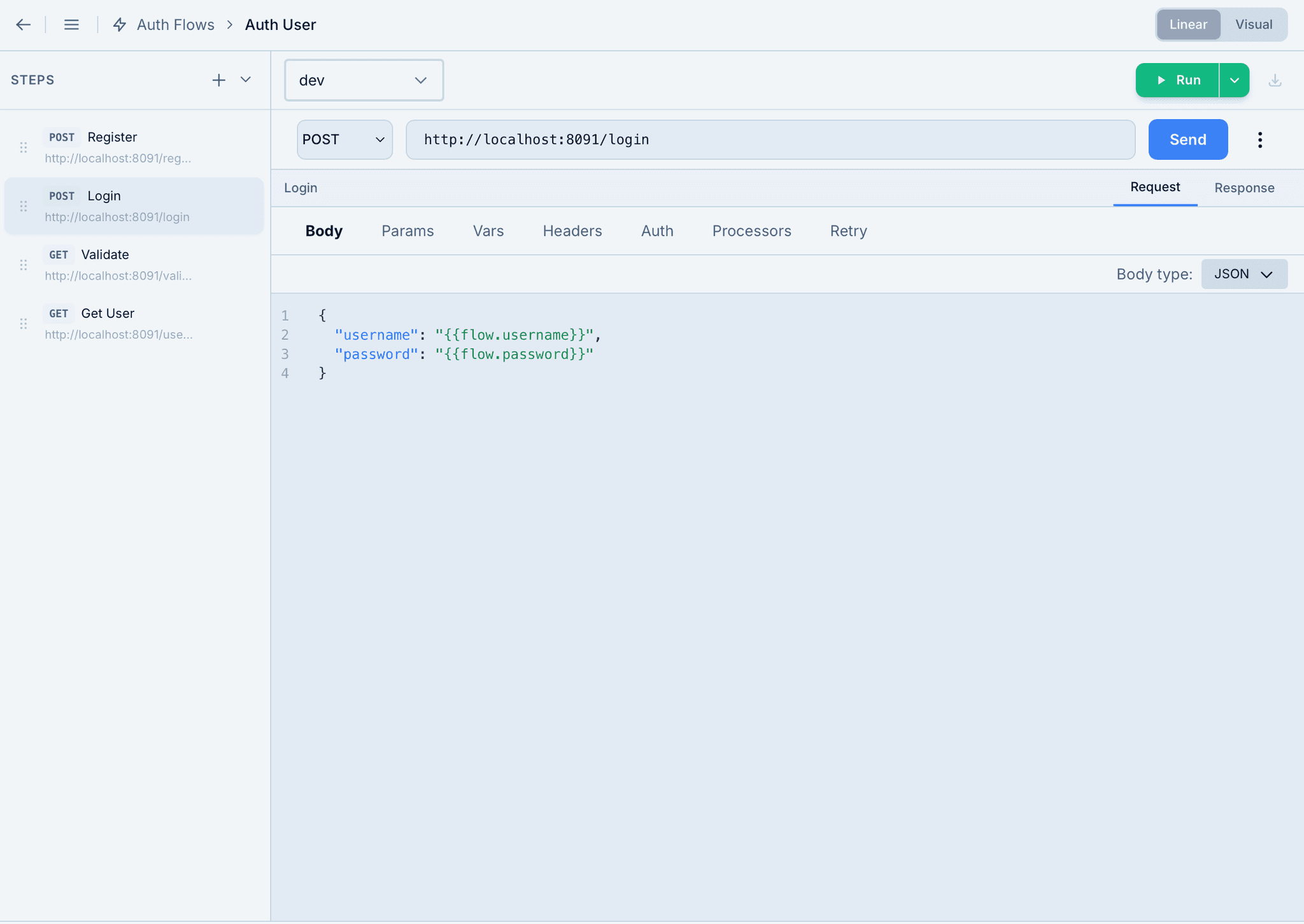
Step Configuration
Each step is a full-featured HTTP request with body, params, headers, auth, scripts, and variable extractions. Chain data between steps using flow variables — extract a token from one response and inject it into the next request automatically.
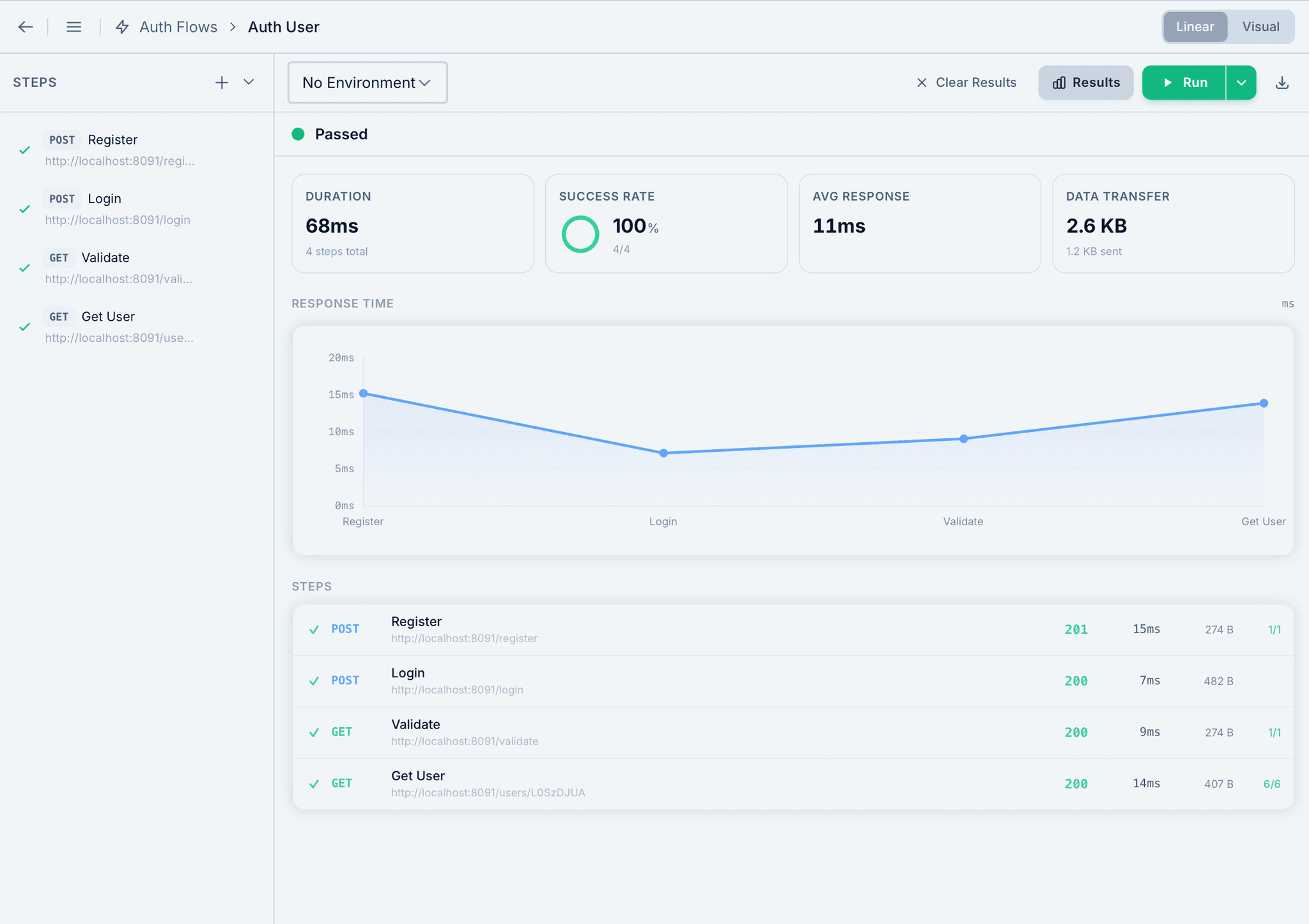
Execution Results
Run all enabled steps and get a comprehensive breakdown — duration, success rate, average response time, data transfer, and a response time chart. See status codes, sizes, and assertion results for every step at a glance.
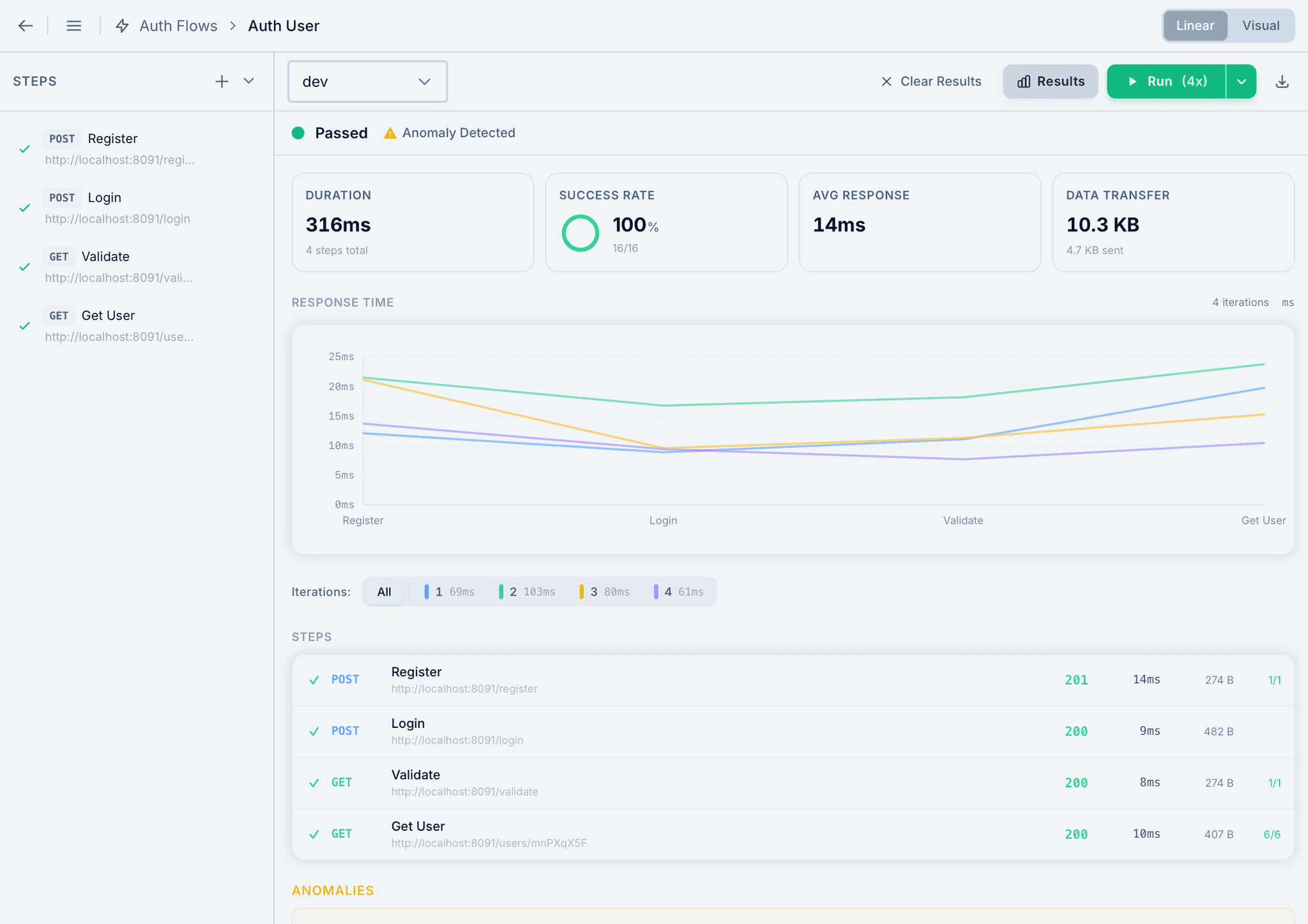
Multi-Iteration Analytics
Run your flow multiple times for regression and stability testing. Each iteration gets its own colored line on the response time chart. Automatic anomaly detection flags outliers and inconsistent response times across iterations.
Flow Runner Capabilities
Run Options
- Run with multiple iterations
- Parallel execution
- Delay between steps
- Stop on failure
Variable Extraction
- JSON Path extraction
- Header extraction
- Regex capture groups
- Status code capture
Export Results
- HTML report for sharing
- PDF for documentation
- JSON for programmatic analysis
Testing & Reliability
- Visual assertions
- Retry logic with backoff
- Anomaly detection
- Enable/disable steps
Ready to automate your API workflows?
Download Tigrister and build multi-step workflows with Flow Runner.